Image to Swf Converter
With Okdo Image to Swf Converter you can turn images into SWF without leaving your desktop. Process whole folders in one batch. Everything runs offline, so your files never leave your computer.
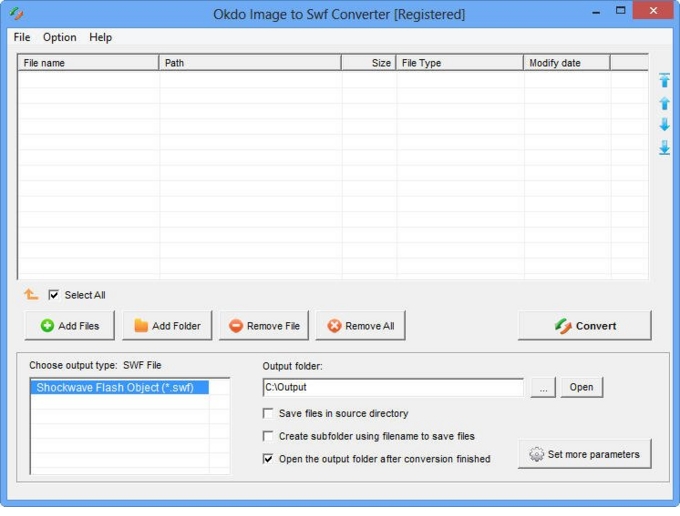
Key features
Advanced capabilities
- ✓Simultaneously convert massive different image to flash video once to save your time.
- ✓Adjust the image quality as needed.
- ✓Adjust the page size of the created SWF video.
- ✓Set the image transition interval.
- ✓Set the animation playback speed.
- ✓Stretch or shrink images to fill the SWF screen.
- ✓Supports merge the converted image to flash video.
- ✓Zoom images by a scaling factor.
- ✓Customize the output file name.
- ✓Save list: Save the converted files to a reusable list.
- ✓Load list: Load a saved list and convert its files directly.
- ✓Add an entire folder for batch conversion.
- ✓Optionally opens the output folder automatically when conversion completes.
- ✓Saves output files to the same folder as the source files.
- ✓Saves each converted file to a separate subfolder within the output folder.
Supported formats
➡️ Input
Image File *.jpg, *.jpeg, *.bmp, *.png, *.tif, *.gif, *.emf, *.wmf, *.jp2, *.j2k, *.pcx
⬅️ Output
Flash video *.swf
Why convert with Okdo
What customers say
Switched our team to Image to Swf and the batch conversion alone saves us hours every week. Batch mode processes whole folders in one click.
We handle confidential client files, so Image to Swf running 100% offline was the dealbreaker. Runs entirely offline, no internet connection required.
Great value for a one-time purchase. Runs entirely offline, no internet connection required.
We bought the one-time license and never looked back — no subscription, free updates. Preserves the original layout, fonts and images.
Layout and formatting came through perfectly — no broken tables or images. Runs entirely offline, no internet connection required.
It handled our password-protected PDFs without any drama. Batch mode processes whole folders in one click.