Word to Image Converter
Okdo Word to Image Converter is a focused Windows tool that converts Word into images. Process whole folders in one batch. Everything runs offline, so your files never leave your computer.
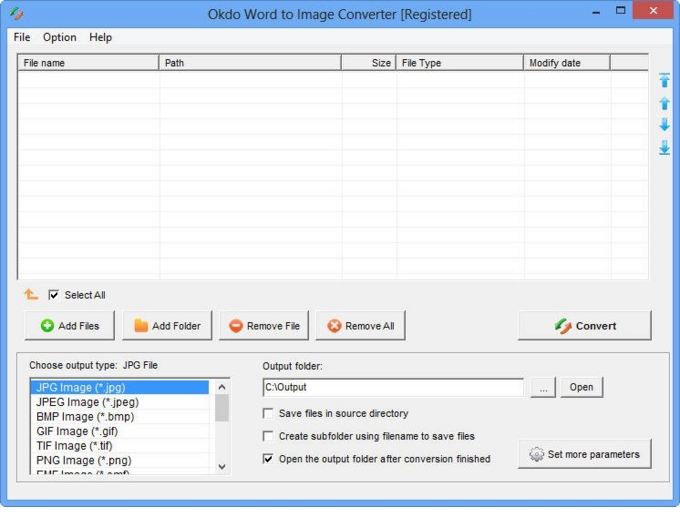
Key features
Advanced capabilities
- ✓Simultaneously convert massive word files to one certain format once to save time.
- ✓Uses pagination to preserve the original Word content.
- ✓Convert one multipage Doc/Docx/Docm to one multipage tiff.
- ✓Fine-tune the output image quality.
- ✓Apply an image watermark.
- ✓Specify the output image page size.
- ✓Set the output ICO size.
- ✓Define a custom transparent color for ICO output.
- ✓Set color depth: default color, gray, 16-color (4 bits), 256-color (8 bits), or true color (24 or 32 bits).
- ✓Save list: Save the converted files to a reusable list.
- ✓Load list: Load a saved list and convert its files directly.
- ✓Add an entire folder for batch conversion.
- ✓Optionally opens the output folder automatically when conversion completes.
- ✓Saves output files to the same folder as the source files.
- ✓Saves each converted file to a separate subfolder within the output folder.
Supported formats
➡️ Input
MS Office Document
Word (*.doc, *.docx, *.docm)
⬅️ Output
Image File *.jpg, *.jpeg, *.bmp, *.png, *.tif, *.gif, *.emf, *.wmf, *.jp2, *.j2k, *.pcx, *.ico
Why convert with Okdo
What customers say
As a Graphic Designer, I needed something I could trust with sensitive documents. Word to Image delivered. Clean interface with practically no learning curve.
It handled our password-protected PDFs without any drama. Runs entirely offline, no internet connection required.
Dropped in a folder of MS Office Document Word (*.doc → Image File *.jpg files and it was done — refreshingly simple. Clean interface with practically no learning curve.
Compared three converters; Word to Image was the only one that preserved our layout on MS Office Document Word (*.doc → Image File *.jpg. Free updates are included with the license.
Great value for a one-time purchase. Handles encrypted and password-protected documents.
Free online tools choke on large files and upload everything to the cloud. Word to Image just works locally. Handles encrypted and password-protected documents.